Our AI Voice Agent and Receipt Scanner understand multiple languages. Your drivers can speak naturally in their native tongue, and the AI will perfectly extract the data into your central database.
Driving? Just speak. Say, “I drove from Bratislava to Vienna for a client meeting” or “I charged 50 kWh at Ionity for 30 euros,” and our AI instantly fills out the form for you.
Note: The agent will record as much information as you provide. Review the recorded information. If you need to change any details—such as the time—make the changes manually. The more clearly you speak, the more accurate the record will be.
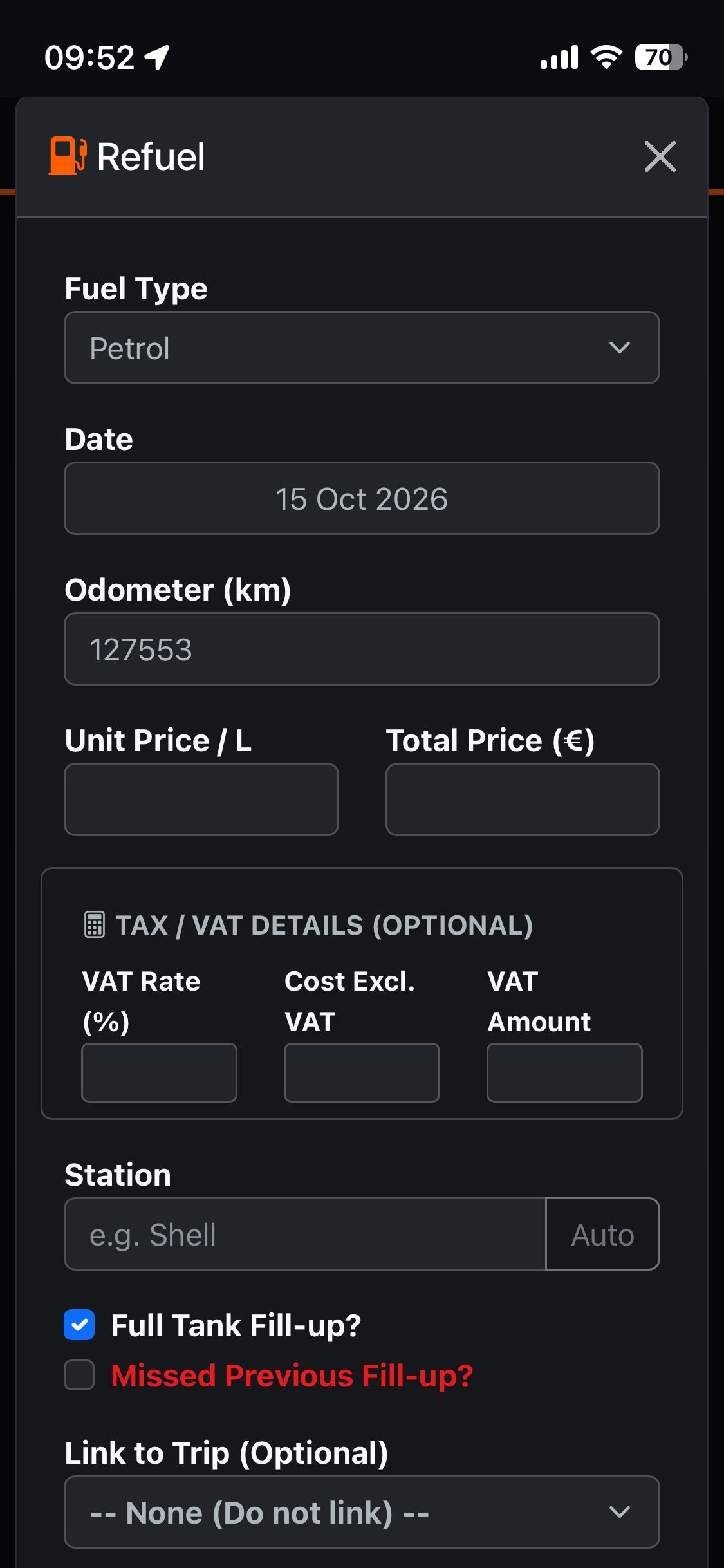
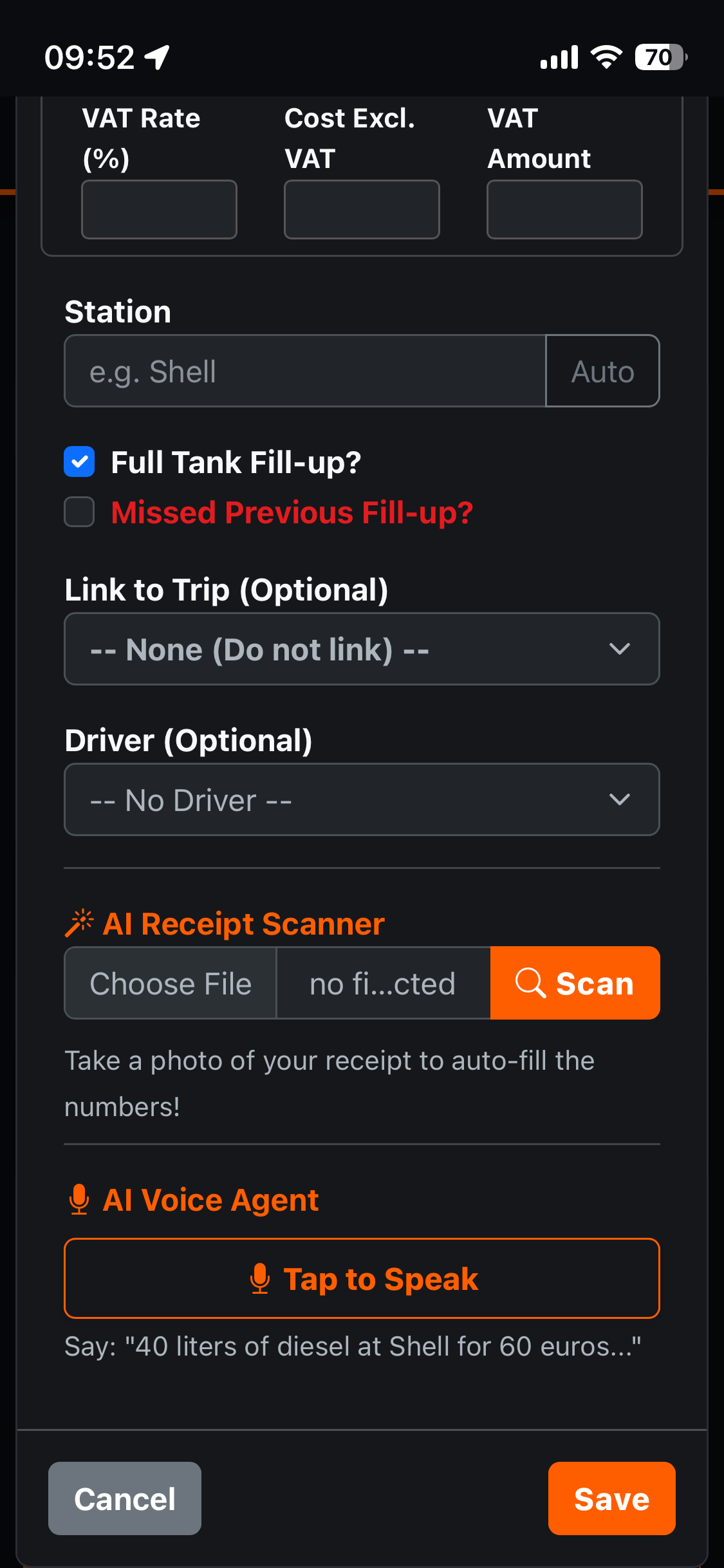
Refueling/Charging: You can use AI Voice agent or AI Receipt Scanner
AI Recept Scanner (PRO or ENTERPRISE Account)
An AI-powered receipt scanner analyzes receipts for refueling and electric vehicle charging. It extracts the following data:
- Total Cost (final amount paid incl. tax)
- Price per Unit (price per liter/gallon/kWh/kg)
- Total Quantity (liters/gallons/kWh/kg)
- VAT Rate % (tax percentage, e.g. 23, 20). If multiple, use the highest)
- Cost Excluding VAT (Net amount)
- VAT Amount (Tax amount)
The AI scanner cannot detect what type of fuel you have added. The app defaults to gasoline (petrol); if you are refueling with diesel or another type, please select it in the “fuel type” field.
AI Voice Agent (ENTERPRISE Account)
An AI-powered voice agent listens to the driver dictating details about a fuel purchase or electric vehicle charging. It then extracts this data:
- Total Cost (final amount paid incl. tax)
- Price per Unit (price per liter/kWh/kg – MUST use 3 decimal places)
- Total Quantity (liters/kWh/kg pumped/charged)
- Station Name (or Charger network, e.g. Ionity)
- Odometer reading
- VAT Rate % (tax percentage, e.g. 23, 20)
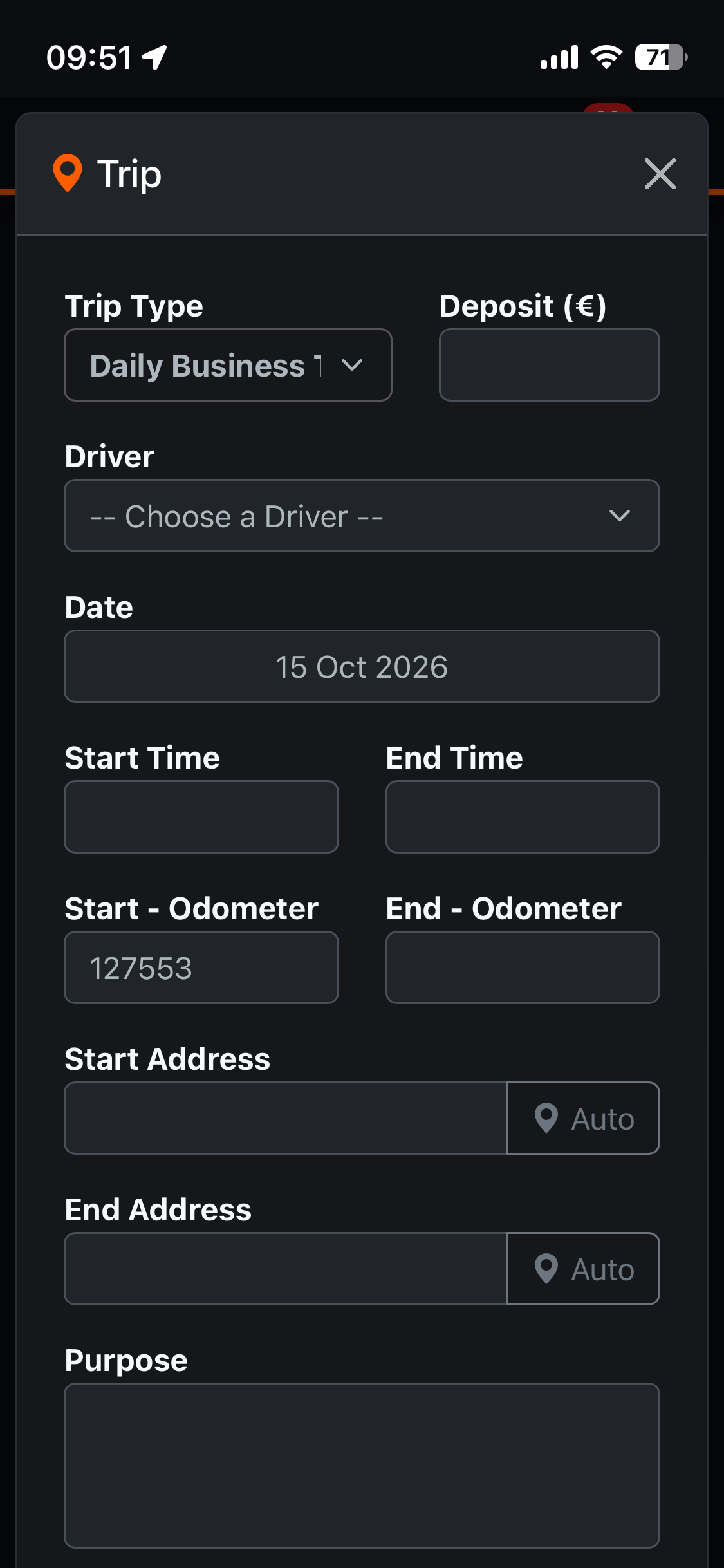
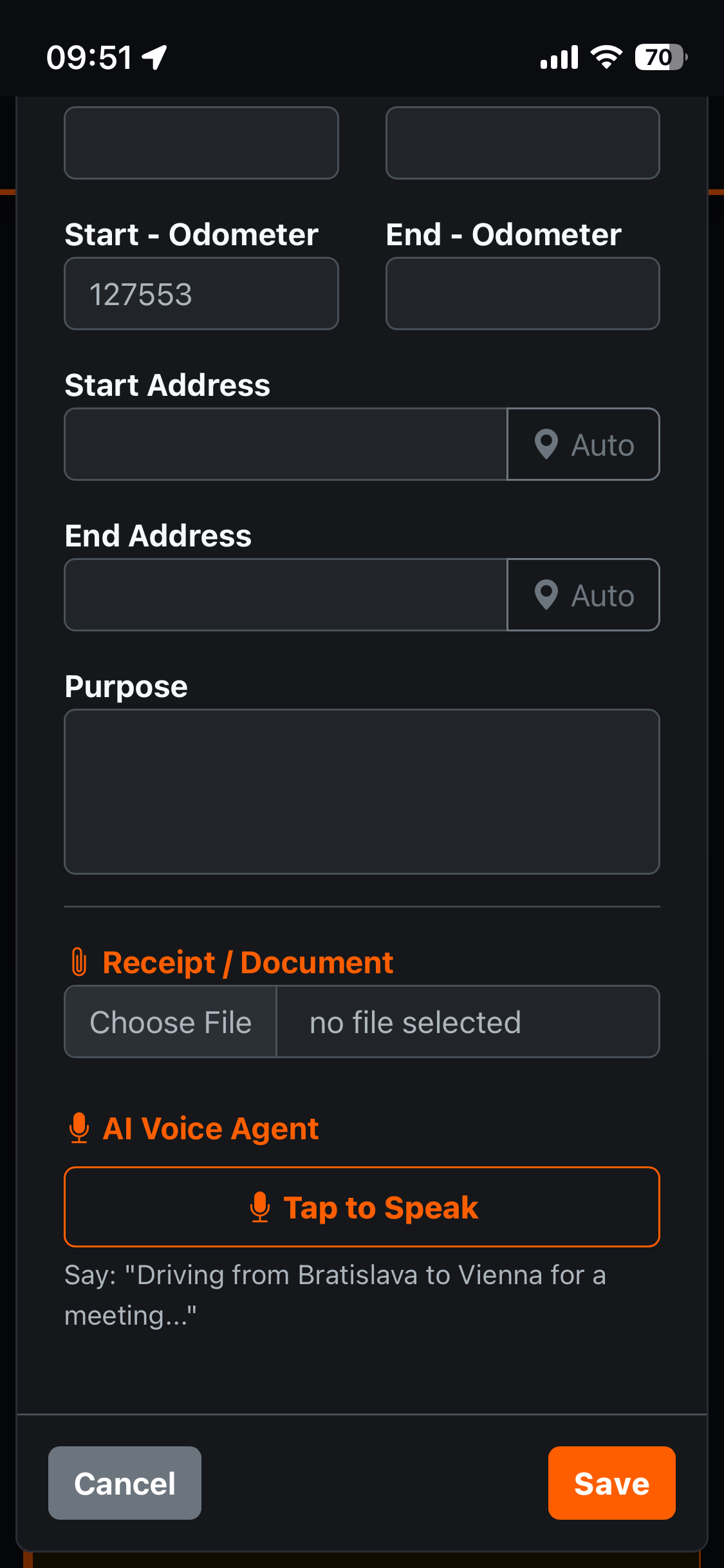
Vehicle logbook: You can use an AI Voice agent or add the trip manually
AI Voice Agent (ENTERPRISE Account)
An AI-powered voice agent listens to a driver dictating details about a trip. It then extracts the relevant information from this spoken input:
- Start Address / Location
- End Address / Location
- Purpose of the trip
- Start Odometer
- End Odometer
- Deposit (Cash advance, if mentioned)
Note: The date is set automatically upon clicking the “Add Trip” button. The trip type and start time must be entered manually. If a driver is assigned to the vehicle, their name will appear automatically in the “Driver” field. When adding a trip, the system automatically populates the starting odometer reading with the last recorded value. If this value does not match the actual reading, it must be corrected manually. Similarly, upon completion of the trip, the final odometer reading at the destination must be entered. This ensures continuity in the mileage records.