Solution 1: The Great Split or How to avoid mixing service costs with business travel expenses.
We divided the categories into two mental buckets:
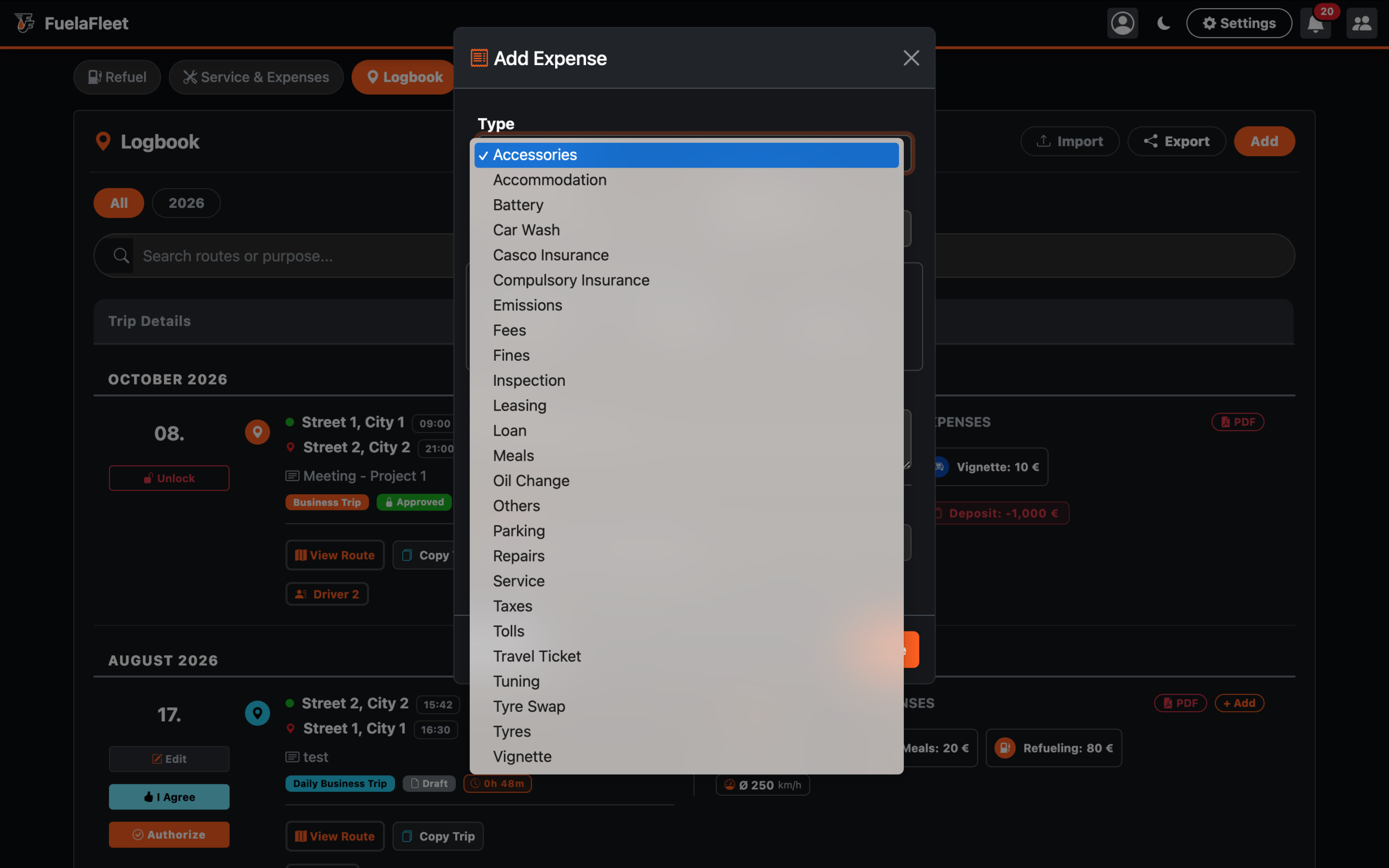
Bucket A (Vehicle Costs): Repairs, Oil, Tires, Insurance, Leasing, Car Wash, Tuning. (These go into the Car TCO, Pie Charts, and Fleet Spend).
Bucket B (Driver Expenses): Meals, Accommodation, Travel Tickets. (These are explicitly EXCLUDED from the Car TCO and Pie Charts. They will ONLY show up on the Driver’s Payroll/Expense Report.)
Bucket C (Hybrid / Operational): Tolls, Parking. (These are usually counted as vehicle operational costs, so we keep them in TCO, but they can still be linked to trips for reimbursement).
Solution 2: Linking expenses directly to Trips
Directly from Trip:
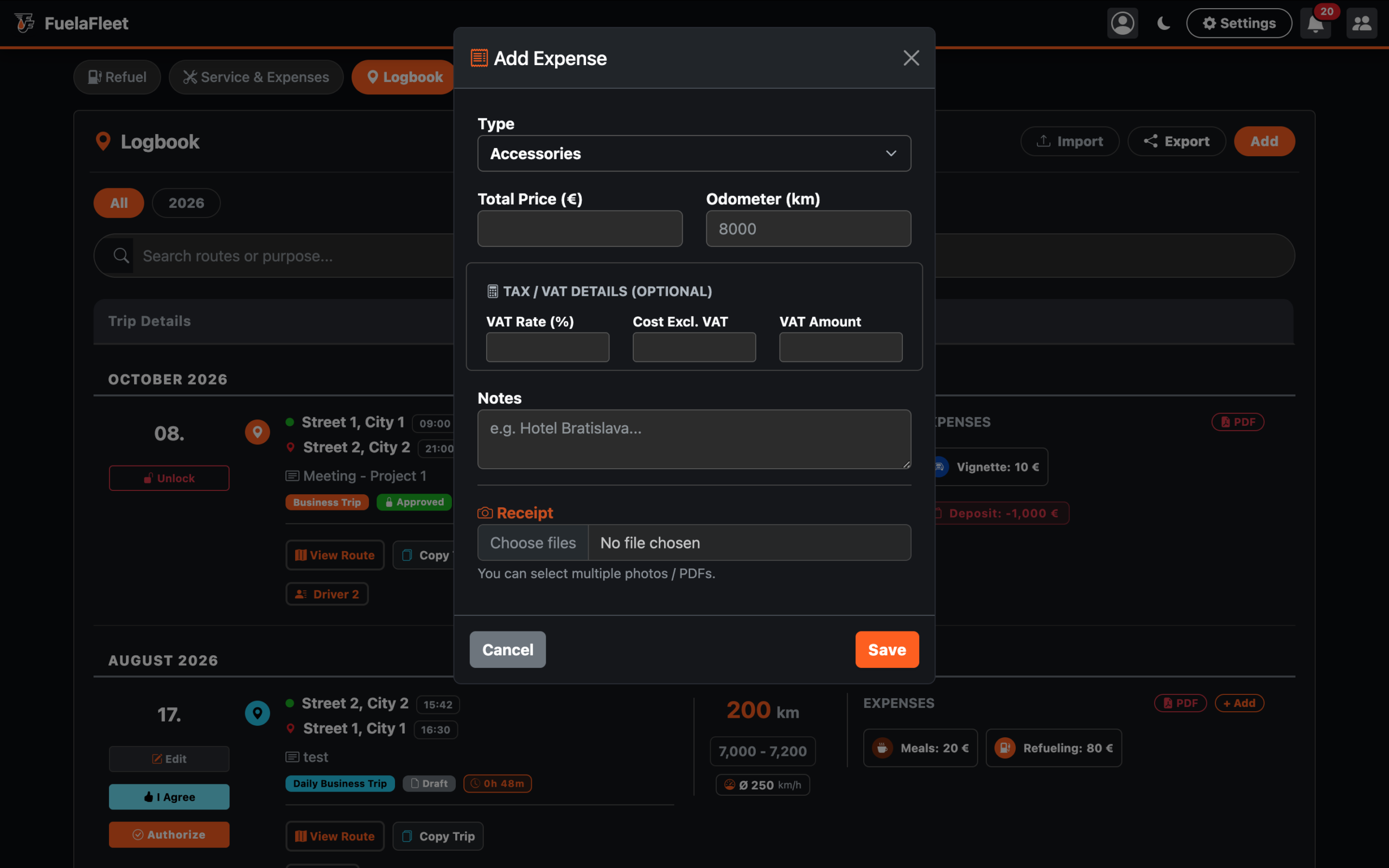
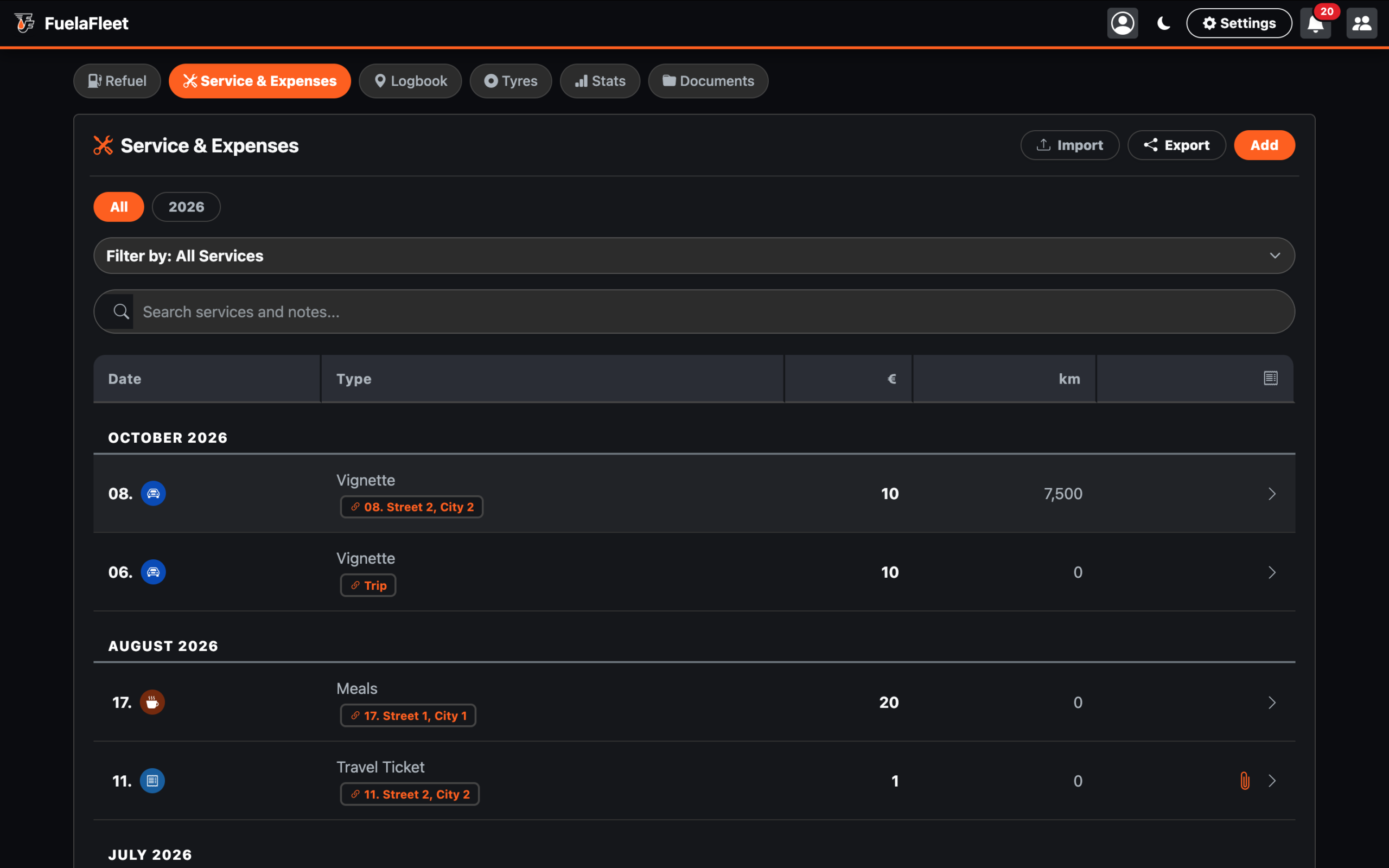
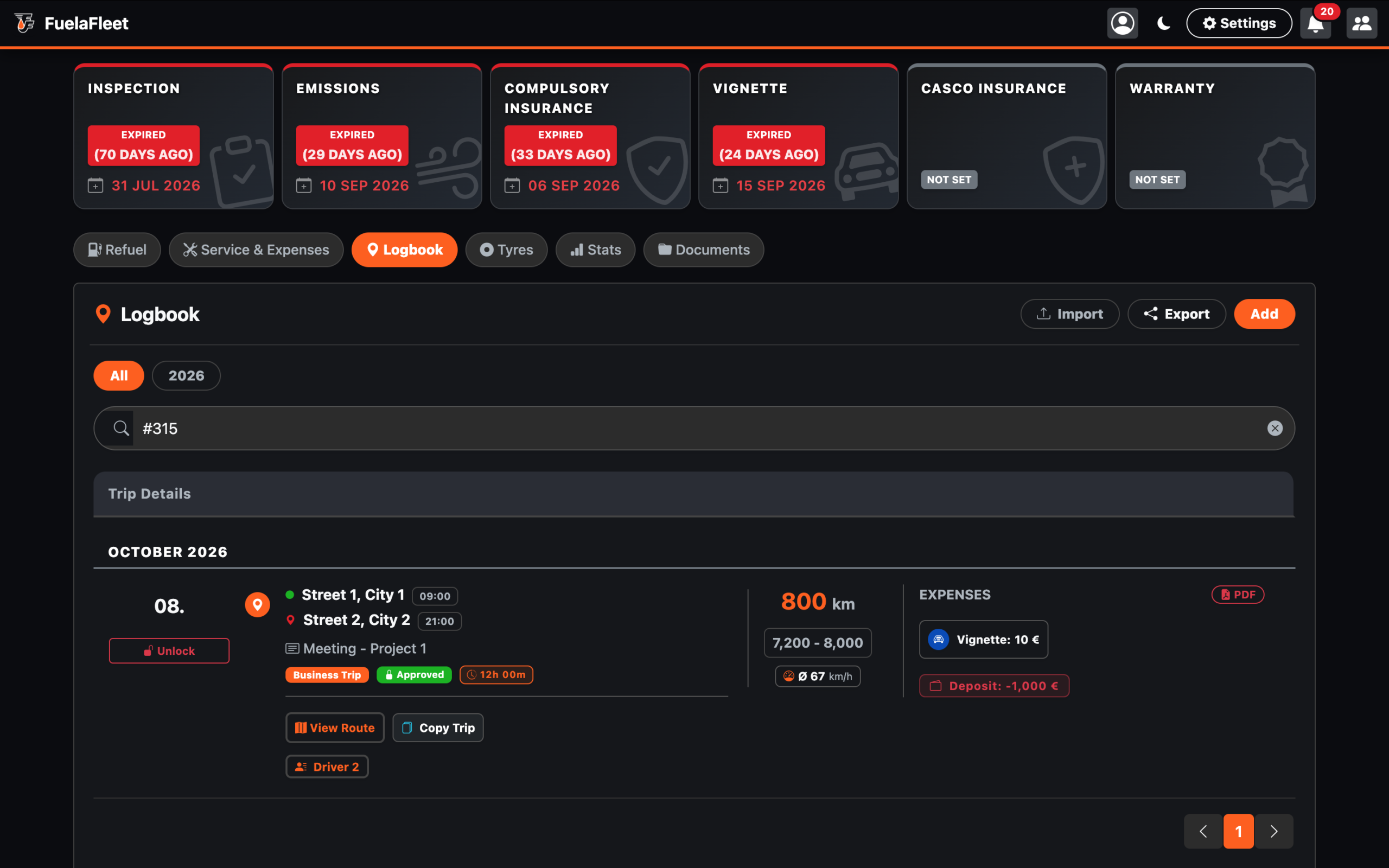
When creating a new trip, click the “Add” button, and the “Add Expense” modal window will appear. Select the expense type from the drop-down list. Fill in the remaining fields and click “Save.” If you look at the table (Refuel or Service & Expenses), you will see that a link to the specific trip was created directly from the expense record.
Directly from Refuel and Service & Expenses:
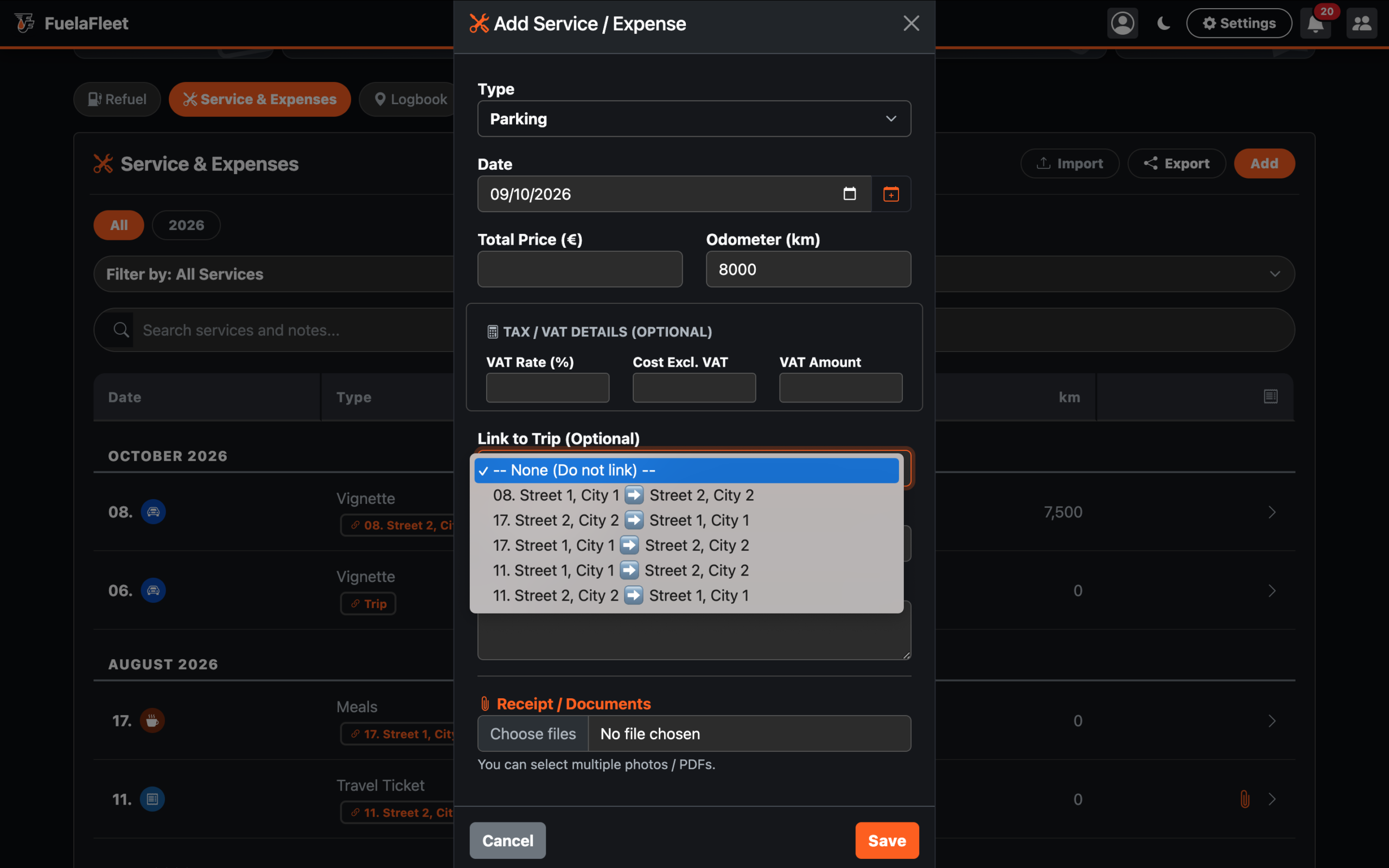
On the standard “Refueling” or “Service and Expenses” card, click the “Add” button; a modal window with a “Link to trip (optional)” drop-down list will appear. The list contains the 15 most recent trips, including dates and the start and end addresses.
Note: Drivers doesn’t see “Service & Expenses” tab. They can only add expenses by editing the business trip.
Example:
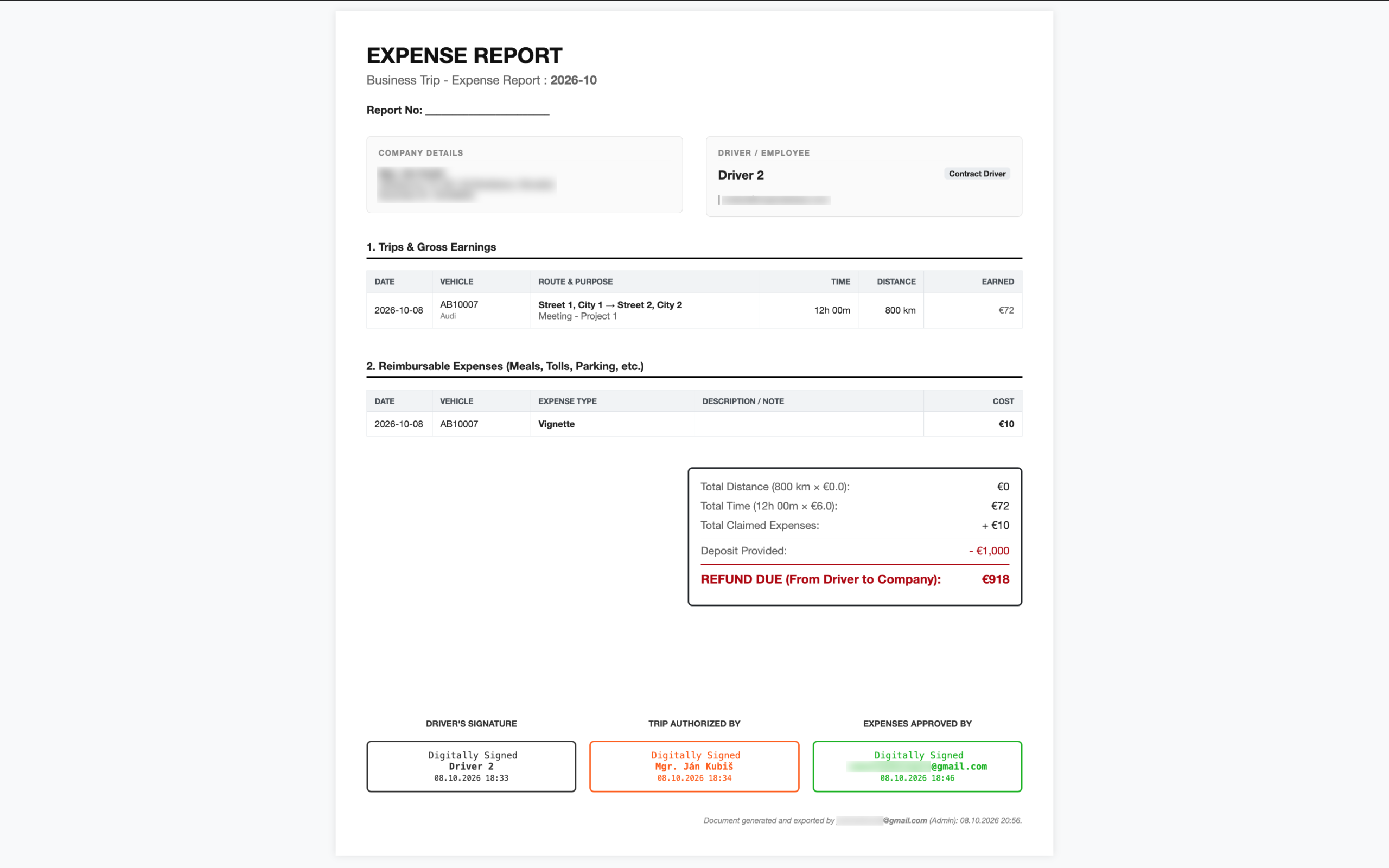
When a driver logs fuel and links it to “Trip #315”, it feeds the fuel charts normally. BUT, when you print the Expense Report PDF, the app will automatically grab that linked fuel and inject it into the Reimbursable Expenses list next to the Meals and Hotels!
Note: In the logbook, an assigned item—such as a refueling entry—appears as an active element with an icon directly within the expenses section for that specific trip. BUT, when the business trip is locked, the link to the expense is inactive.
Summary of the Workflow
Car TCO charts is 100% pure (only showing actual car costs).
- Business travel expenses are separate from service costs. (Expenses are also separated in the statistical export.)
Accountants get a perfect PDF that automatically merges linked fuel, meals, and hotels into one payout calculation.